
Download
ZIP · 11 KB · 24 November 2026
What’s Inside
The package follows the open Agent Skills folder format: a single SKILL.md holding a compact Ritchie language capsule, guidance on writing, running and serving programs, teaching guidance and the known defects of the current compiler.
The agent checks programs with the Ritchie compiler, which you can install from the Releases Page.
The entire package is licensed under CC BY 4.0.
Install in Claude
Claude can import the downloaded ZIP directly as a skill.
- Download the Ritchie Skill and leave the archive zipped.
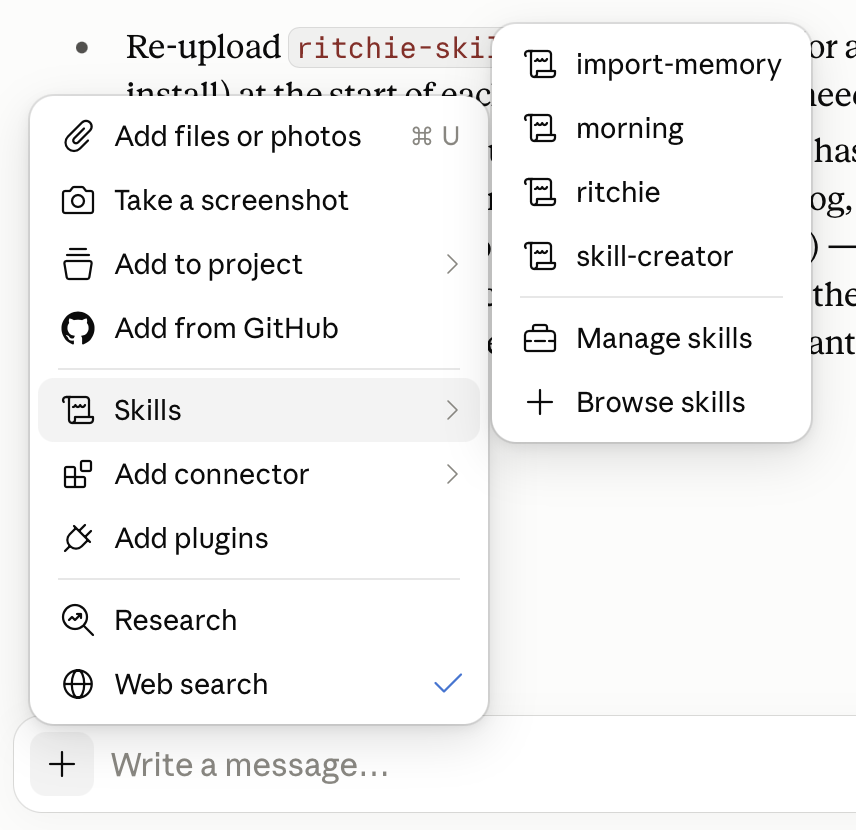
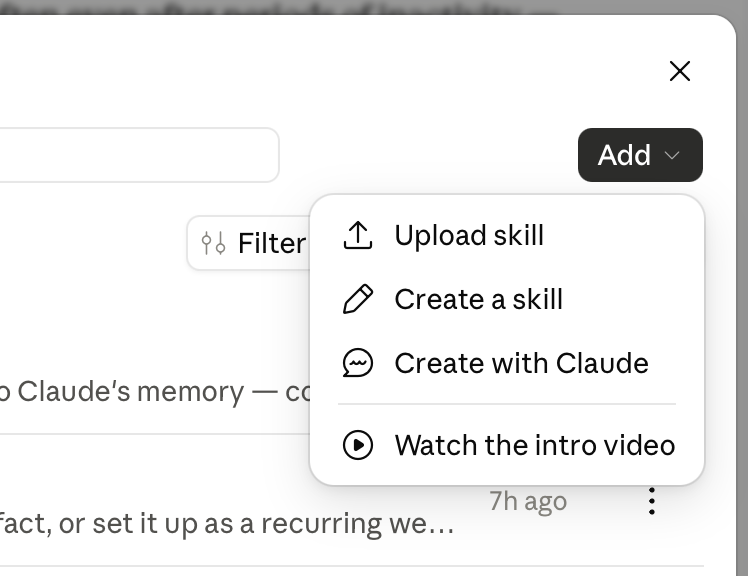
- In a Claude chat, open +, choose Skills → Manage skills, then open Add → Upload skill and select the downloaded ZIP.
- Open a new chat and invoke the Ritchie skill using
/ritchie. Try: “/ritchie what’s the most exciting feature of this language?”
Ask Your Harness to Install It
Copy this prompt into your coding agent or harness. It leaves the exact installation location up to the harness while asking it to verify the package first.
Install the Ritchie skill from:
https://github.com/codemartial/ritchie/releases/download/2026-11-24-7b90e549/ritchie-skill-2026-11-24-7b90e549.zip
Before installing it:
1. Download the archive without executing anything.
2. Verify its SHA-256 checksum is:
36ec1b0a2fc1a15538def4fd256f023e636aca86de42f87b8ffb390ef4a31e59
3. Confirm it contains one top-level ritchie/ folder, no symlinks,
and a SKILL.md file directly inside that folder.
4. Install that folder in this harness's user-scoped skills location,
preserving its contents and structure.
5. Tell me where you installed it and how I can invoke it.
If this harness does not support SKILL.md-based Agent Skills, do not
guess an installation path. Explain the
closest supported way to load these instructions instead.
Verify It Yourself
The published archive has this SHA-256 checksum:
36ec1b0a2fc1a15538def4fd256f023e636aca86de42f87b8ffb390ef4a31e59After installation, try: “Use the Ritchie skill to teach me a Ritchie concept with a runnable exercise.”